 BELLOW
Ear prompter
Your script, in your ears.
Bellow reads your script into your earbuds a couple of words ahead of you. You say the lines looking straight ahead, at the camera or at the room. Nothing scrolls past you and there are no cue cards. The current line is also on screen in big type, only as a backup.
Free for 7 days with everything unlocked. Then a one-time unlock, no subscription.
Watch it work.
Under a minute. Captions are on.
The people and places in this video are AI-generated. The app screens are real.
Say it back, a couple of words behind.
An ear prompter does the opposite of a screen teleprompter. The words come to you through your earbuds, just ahead of where you are, and you repeat them in your own voice. Your eyes stay where they belong.
Illustration. In the app you hear the amber words in your earbuds. The current line also shows on screen as a backup.
Paste your script
Type it or paste it in. Bellow checks it for words it might trip on, like names and place names, so you can set how they should sound. It remembers your choices.
Put in your earbuds
Press play. Bellow reads two to three words ahead of where you are. Set the pace to match how you talk, and run a practice line first to find the rhythm.
Look up and deliver
Trail the voice by a couple of words and keep your eyes up. Tap to move on line by line, or switch on auto-pace and let it carry you through.
What is in the app.
Made for anyone who has to remember lines.
How Bellow is different.
Most prompting apps put the words on a screen, or listen to your voice and scroll to follow it. Bellow does neither. It says the next words to you.
| Approach | You read from | Uses your mic | Eyes on the lens |
|---|---|---|---|
| Bellow (ear prompter) | Your earbuds first. The current line is on screen as a backup. | No | Yes |
| Screen teleprompter | Scrolling text on a screen or glass | Sometimes, to follow your voice | Close, but you are reading |
| Script reader or line learning app | Text on the phone, with a voice for the other parts | Often, to hear your lines | Depends on the app |
How the price compares
Prices as shown on each product's public page on October 6, 2026. They change, so check before you rely on them.
| App | Price shown |
|---|---|
| Bellow: Ear Prompter | $9.99 once, after a free 7 days |
| LineCue | $3.99 once, per script (Audition Pass) |
| Scriptmate | $69.99 a year, or $9.99 a month |
| VoicePrompter | $99.99 once (Lifetime), or $3.34 a month (Pro) |
| Ear Prompter (another app with a similar name) | $149.99 once, $59.99 a year, or $22 a quarter (Pro) |
These are different products. Some record your takes, scroll to your voice or play both sides of a scene. Bellow does one job: it prompts you in your ear.
Will it work for me?
Try it free. Pay once if you keep it.
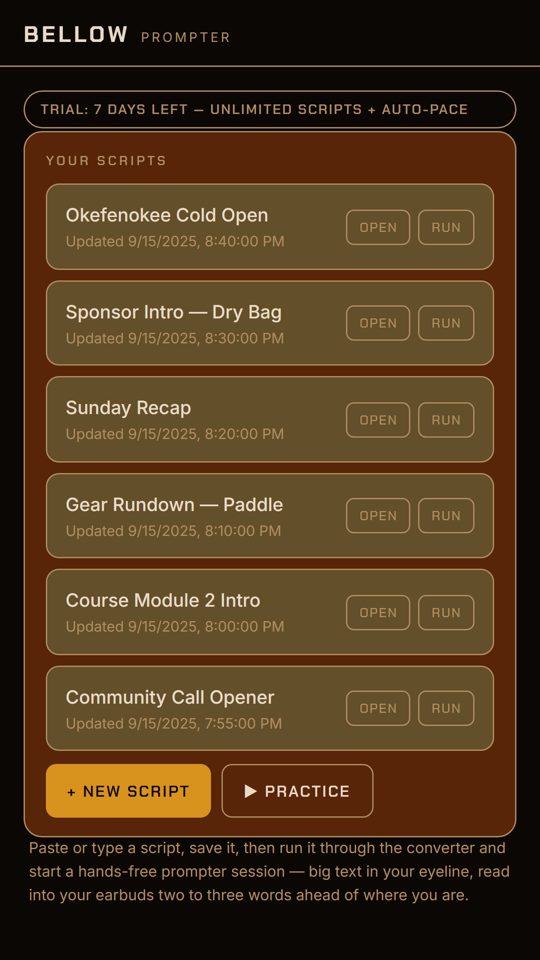
For your first 7 days, every feature is open, with no account and no card. After day 7, Bellow locks until you buy the unlock one time. It never renews and it is never a subscription. Your saved scripts stay on your device, and you can copy their text out whether or not you unlock.
Refunds follow the store you bought from. How refunds work.
one time, after the free week. US price; other countries are priced by the store.
- Unlimited scripts
- Tap mode and auto-pace
- Pronunciation check and practice mode
- Plays through the earbuds you already use
- Your scripts stay on your device
Questions.
What is an ear prompter?
An ear prompter feeds you your lines through an earbud, a couple of words ahead, and you repeat them in your own voice. Unlike a screen teleprompter, you do not read scrolling text, so your eyes stay on the camera or the room. Bellow does show the current line in big type on screen as a backup.
Does Bellow use my microphone or record me?
No. Bellow only speaks to you. There is no microphone permission anywhere in the app and nothing is ever recorded.
Is it a subscription?
No. It is free for 7 days, then you buy one unlock, once. It does not renew.
What happens after the 7 days?
Bellow locks until you unlock it. You can still open your list, view your scripts and copy their text out. You cannot run, save or edit scripts until you unlock.
Where are my scripts stored?
On your own device only. There is no account and there are no servers that hold your scripts. If you delete the app or clear your browser data, they are gone, so copy anything you want to keep.
Does it work offline?
The apps do not need an account or a server of their own to read your scripts. The voice comes from your device, so it is as good as the voices installed on it. The browser version needs a connection to load.
I bought it on one phone. Can I use it on another?
Your purchase belongs to your App Store or Google Play account. Install Bellow on the other device, sign in to the same store account, and use Restore Purchase in the app. Scripts do not sync between devices.
Something is not working.
See the troubleshooting guide, or write to [email protected] with your device and what you were doing.